FAQ
This page collects items from the original FAQ along with points that are frequently referenced while customizing the world.
Installation and publishing
I want to rebake the lighting
In most cases, rebaking with the default settings is fine.
Can I publish the Full Pack as a public world?
If you make the Full Pack public, a more private style of use is recommended by assigning RoomOwner for every room. If you only use rooms 701 and 702 separately, normal operation is usually fine.
The mood board BGM sounds muffled
A LowPassFilter is used so the sound blends into the space. If you want a clearer sound, disable AudioLowPassFilter on MoodBoard_701/System/MoodBoard_Manager/Audio Source_Music.
The key does not disappear like it does in the sample world
In the product version, the key does not disappear. In the sample, that behavior came from the OneTimeKey setting.
Everything turned pink
Check whether a required package is missing or whether another shader with the same name exists in your existing project. Import the Full Pack last.
You may be missing a required package, or a shader with the same name may be conflicting inside an existing project. Import the Full Pack last, and if that still does not fix it, try installing in a new project.
Errors appear when entering Play mode or uploading, and the world will not start or upload
After adding or deleting assets, Scene ID conflicts can sometimes occur, which may prevent Unity play mode or VRChat uploads from working correctly.
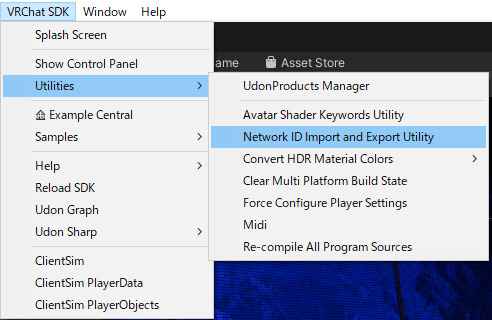
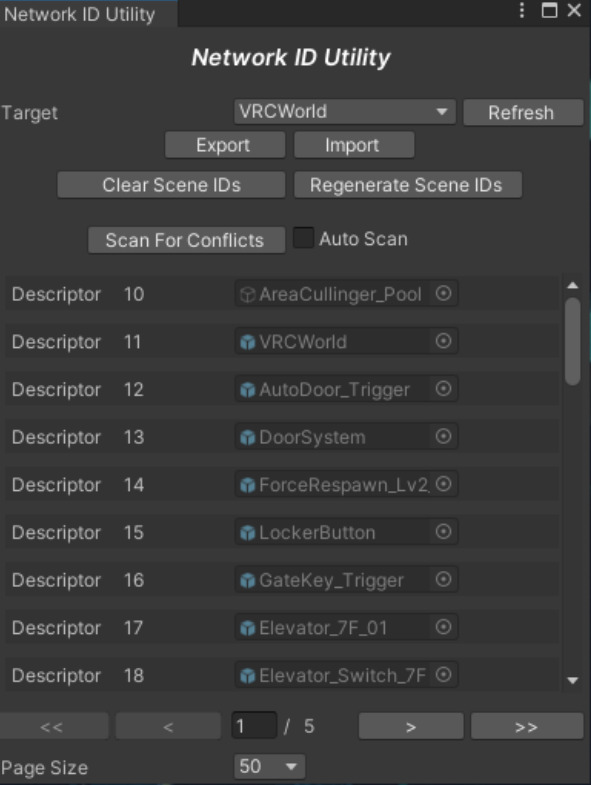
In that case, open Network ID Utility and click Regenerate Scene IDs.
- Open VRChat SDK > Utilities > Network ID Import and Export Utility
- Confirm that the target is set to VRCWorld
- Click Regenerate Scene IDs
- Save the scene if needed, then try playing or uploading again
World customization
I want to change the mood board to something else
If you want to add a completely new mood, you will need to edit scripts and animations, so the workload increases. A safer approach is to repurpose an existing plate that is used less often.
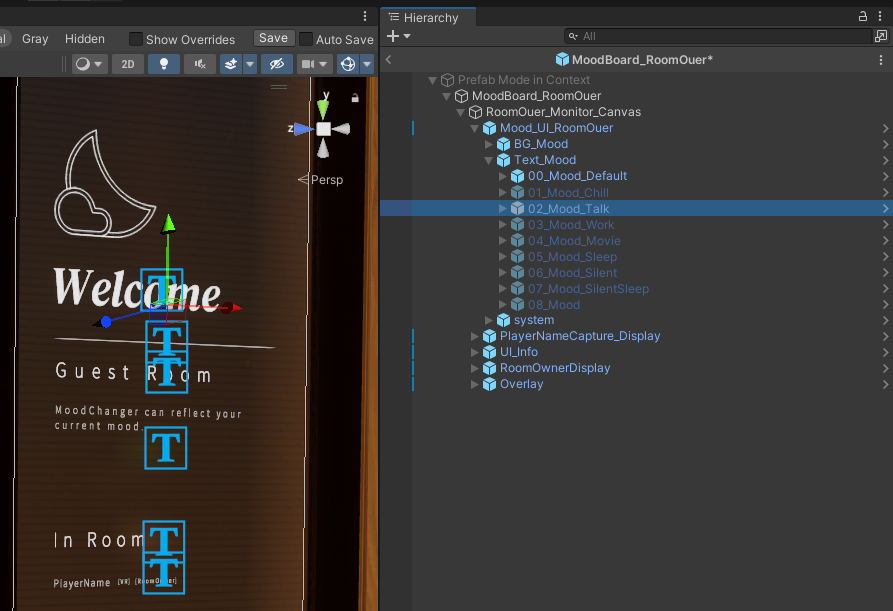
Good candidates are Chill, Talk, and Work. Review the following items while editing:
- Text on the target plate inside
SignPlate_Set - Display string inside
Text_Mood - Replacement of the icon
Sprite
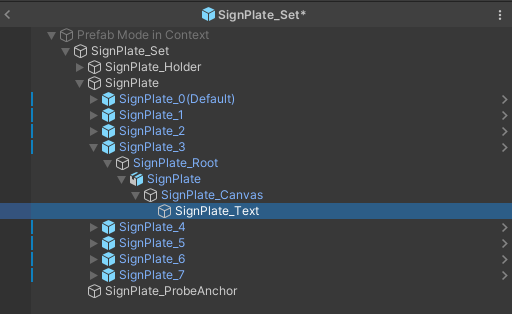
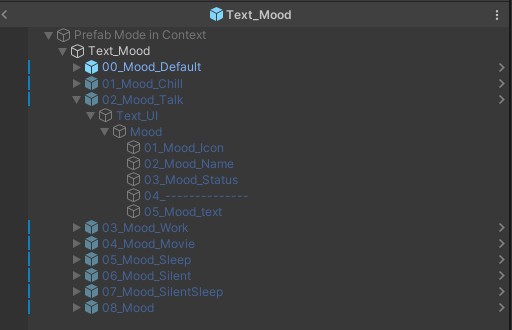
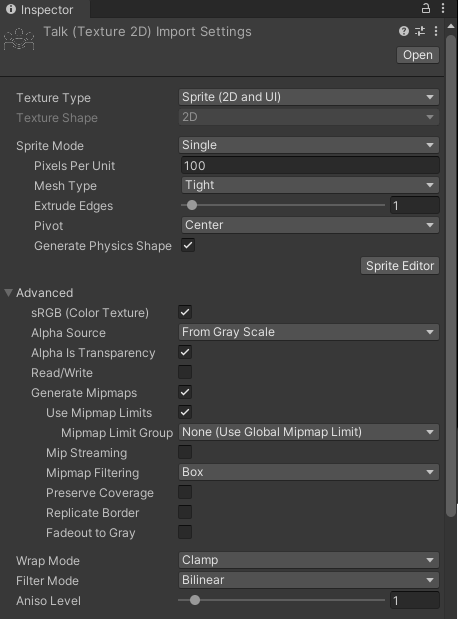
If you change object names, animation references will break. Leave the names unchanged.
I want to replace the photos
When replacing photos, duplicate the paper material first and then assign the new texture.
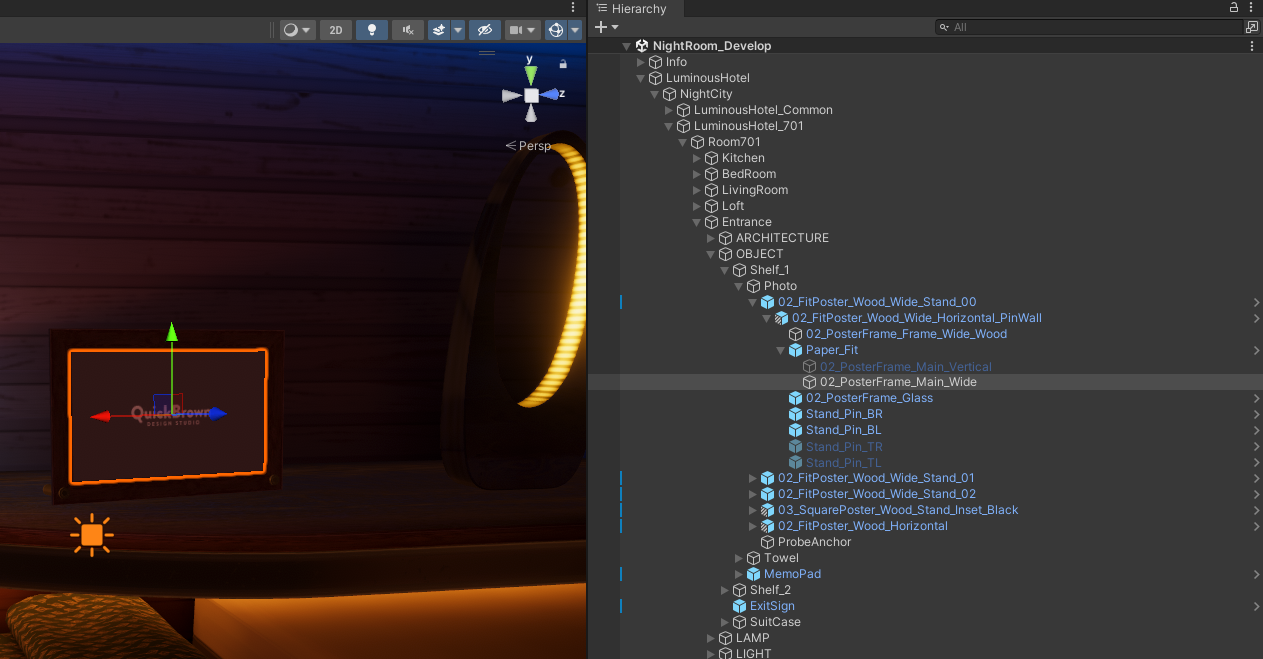
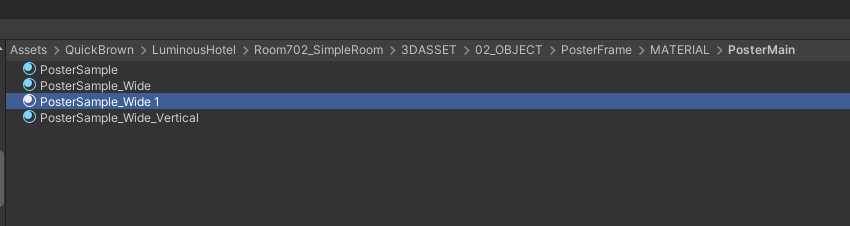
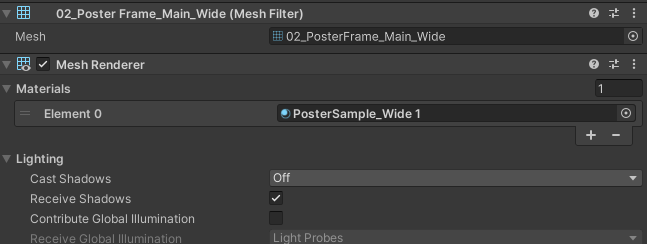
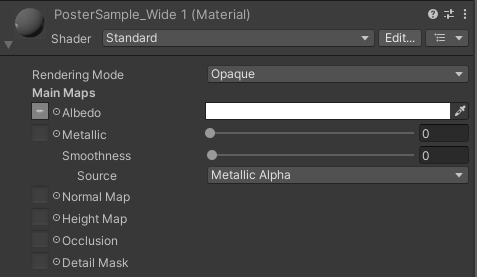
For image aspect ratios, these are easy to work with as a rough guide: landscape 16:9, portrait 9:16, and square 1:1.
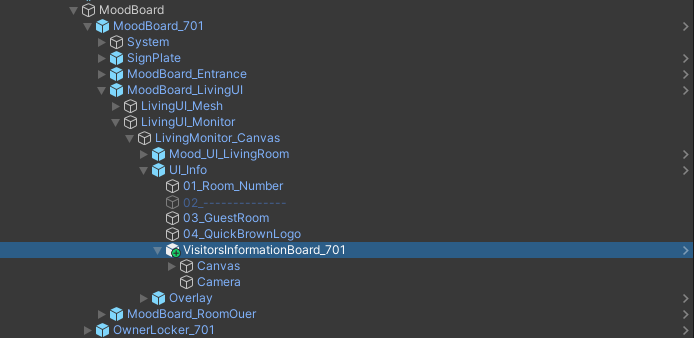
I want to place a Visitors Information Board
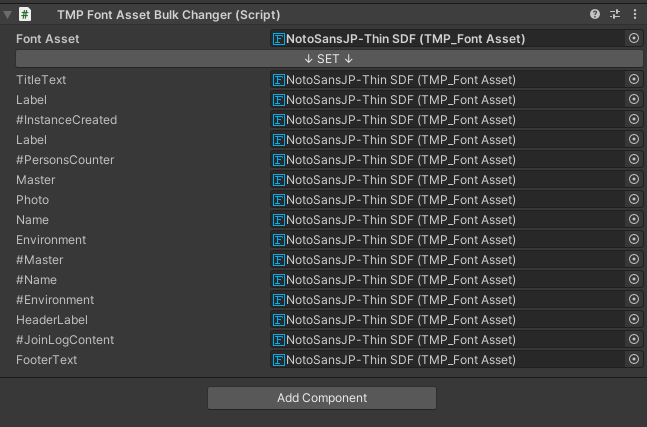
When placing a Visitors Information Board, putting it at the end of UI_Info makes the front-to-back ordering less likely to break. Adjust the font and layout while referencing the demo world.
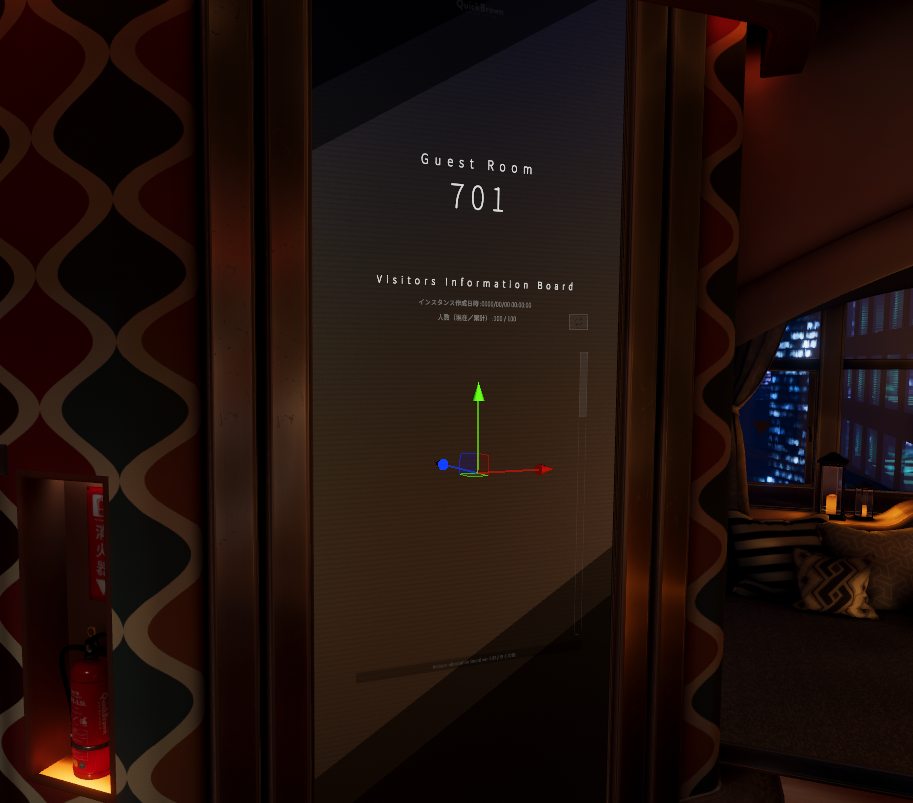

Adjustment points
I want to change the morning time
Change the Morning Hour value in MorningSetter. 4 means 4 AM, 6 means 6 AM.
Audio from Room701 can also be heard in the lobby
This is intentional so the lobby does not become completely silent. If you want to keep the sound inside Room701 only, adjust the AudioSource position and range on the 701 side. The 702 settings are a useful reference.
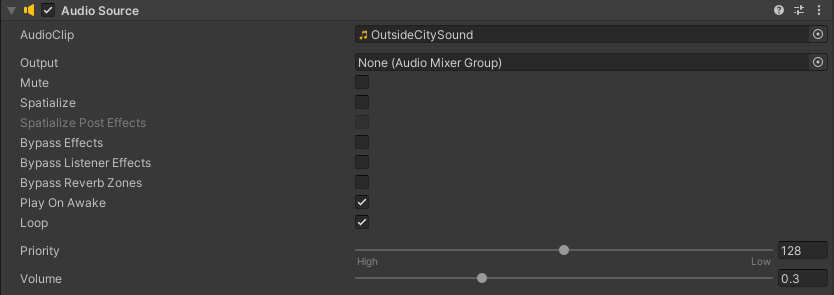
I want to change the default volume of the ambient sounds
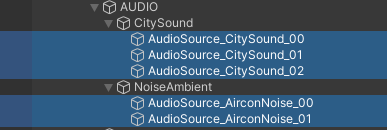
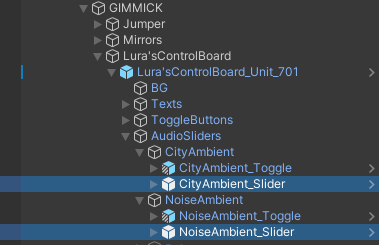
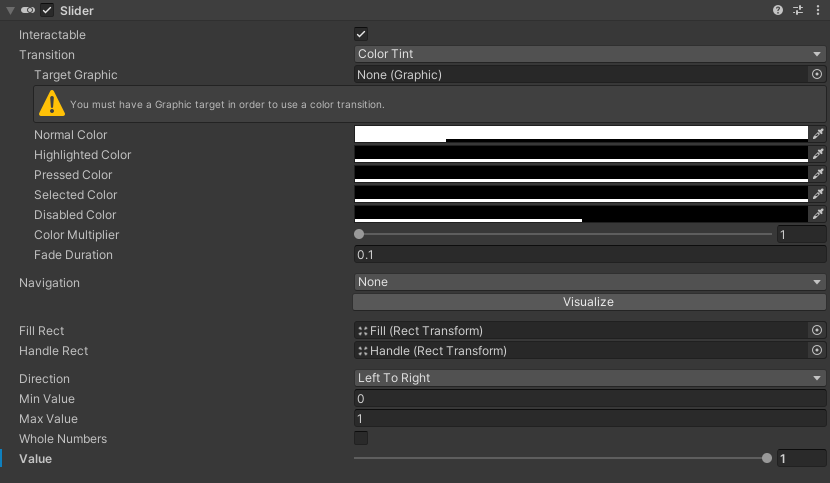
Change the Volume of the AudioSource components under AUDIO/CitySound and NoiseAmbient, then set the matching Value on CityAmbient_Slider and NoiseAmbient_Slider to the same number.
I want to change the mirror fade distance
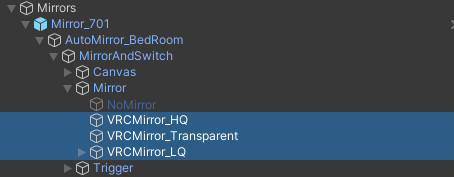
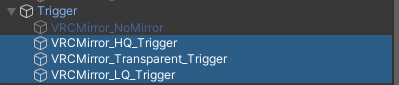
Adjust Distance Fade and Distance Fade Length on VRCMirror_HQ, then apply the same values to VRCMirror_Transparent and VRCMirror_LQ. To avoid changing a shared material directly, duplicating it before editing is recommended.
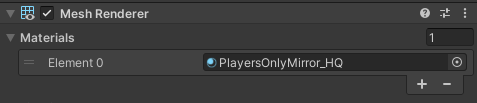

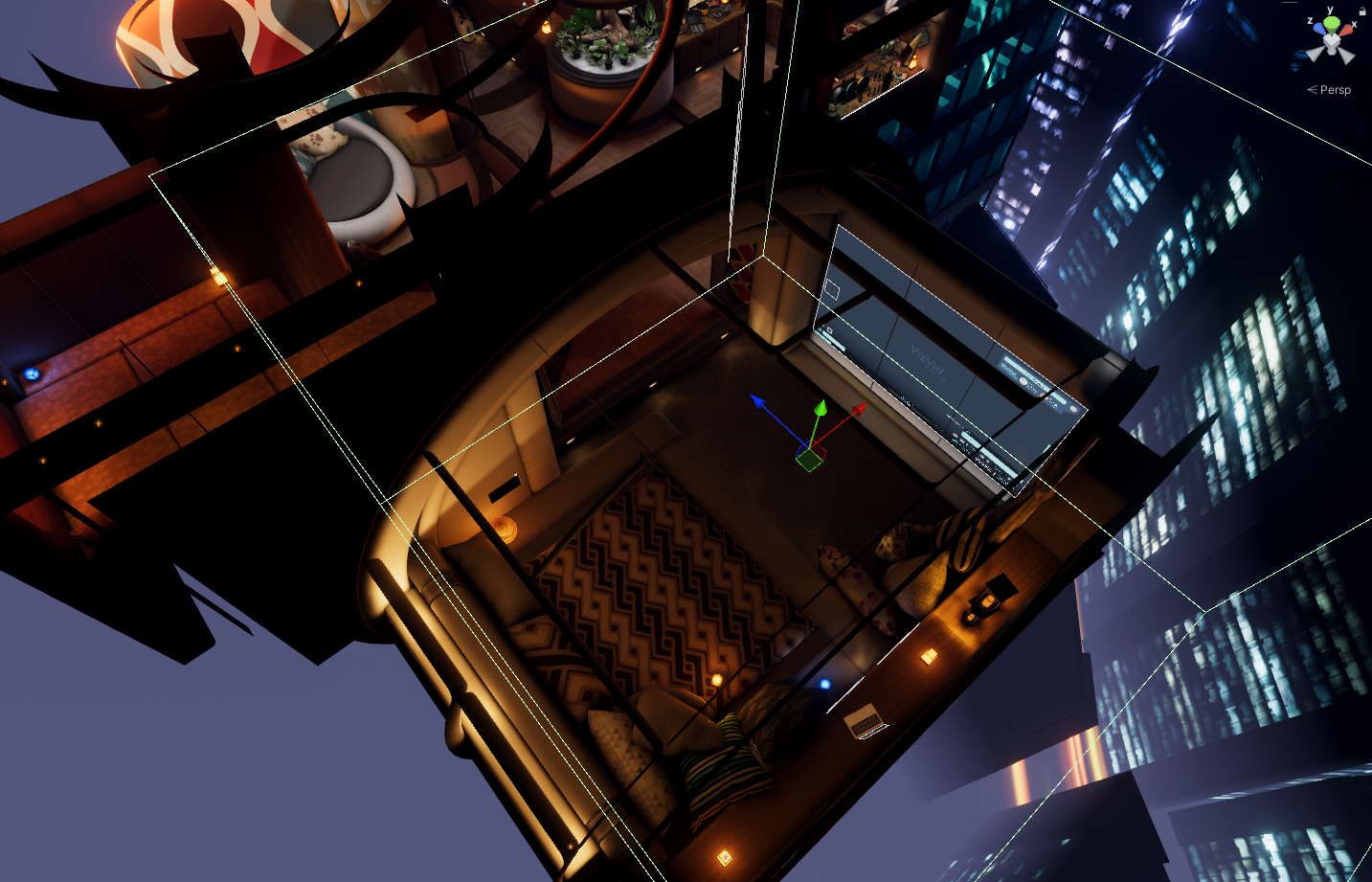
Also adjust the mirror trigger range so it is large enough to contain the combined distance of Distance Fade and Distance Fade Length.
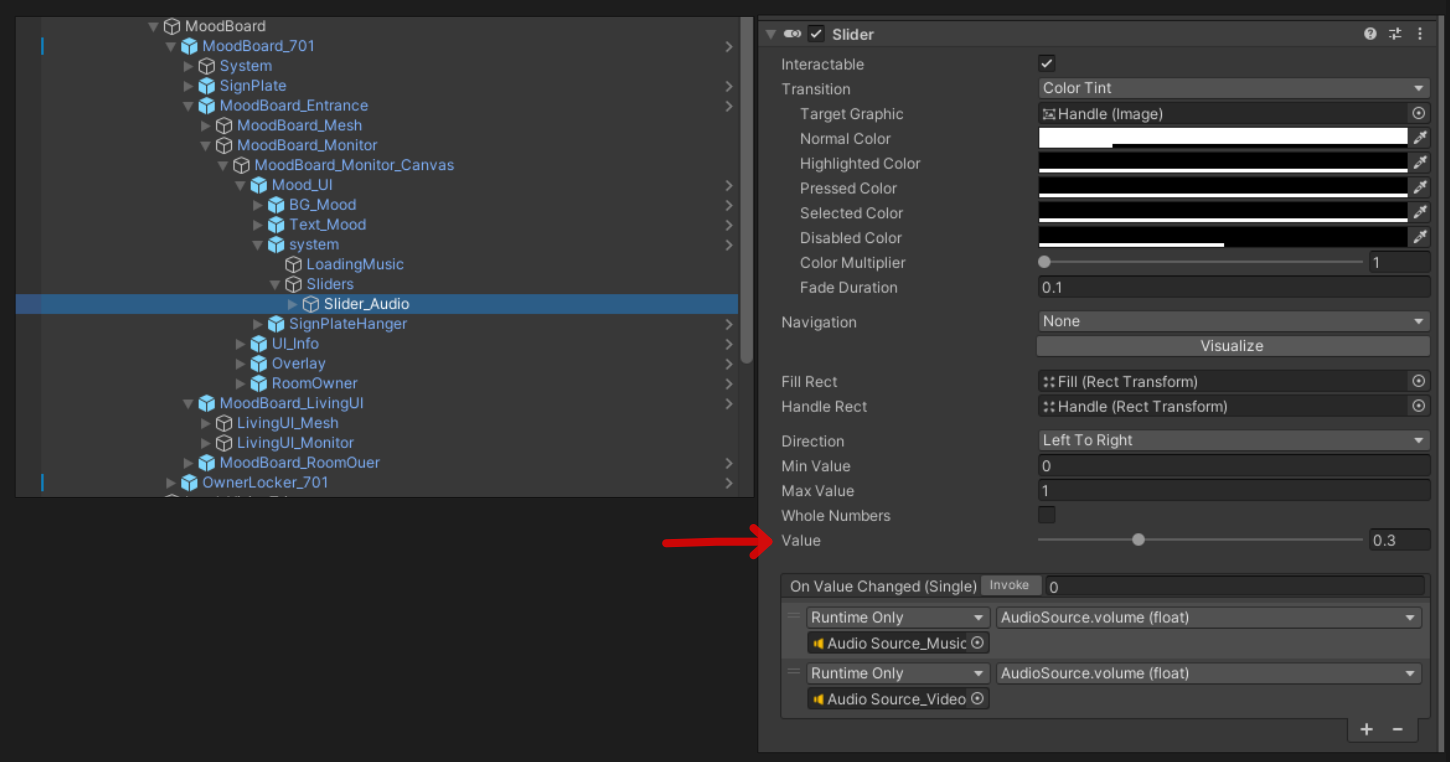
I want to change the default mood board volume
Change the Value on the Slider component of MoodBoard_Entrance/MoodBoard_Monitor_Canvas/Mood_UI/system/Sliders/Slider_Audio.